- capture
all geometry, textures and shaders, rendered during single frame;
- import captured geometry into 3D Studio Max or Maya;
- see what exactly has been drawn by each individual draw call;
- see renderstate, textures, vertex streams, index stream, vertex
declaration, vertex and pixel shaders (including HLSL source code
if available) of each individual draw call.
3D Ripper
DX supports only DirectX 6.x, 8.x and 9.x applications. OpenGL, older versions
of DirectX and software renderers are not supported.
Download
Current
version is 1.8.2, download. Older
version is 1.8, download.
Adobe Photoshop merupakan program image editor terkemuka di dunia.
Dengan berbagai fiturnya yang lengkap, membuat program ini paling banyak
digunakan di dunia. Adobe Photoshop yang akan saya share ini merupakan
Adobe Ps CS4 yang merupakan penyempurnaan dari Adobe Ps CS3.
Mengapa harus Adobe Ps? Jawabannya adalah tidak lain dan tidak bukan
merupakan program ini adalah program yang memiliki fitur yang sangat
amat lengkap apalagi ini merupakan Ps keluaran terbaru dari Adobe. Dan
juga jika sobat belum bsa menggunakan software ini, tenang dan jangan
khawatir. Karena telah banyak yang menyediakan tutorialnya. Jadi, tidak
ada kata tidak suka / tidak cocok dengan program ini.
Adobe Ps CS4 yang saya bagikan ini memiliki ukuran yang tidak begitu
besar. Lho kok bisa? Ea ialah, kan ini yang portable, jadi artinya tau
kan kalo portable maksudnya gimana? heheh
Bagi yang ingin belajar ataupun yang sudah ahli dalam menjalankan
program Photoshop ini dan tertarik ingin memiliknya, silakan sobat
download melalui link yang akan saya berikan di bawah ini.
oh iya photoshop cs 4 ini sudah di lengkapi dengan DDS plugins Dari Nividia :)
jadi tidak perlu lagi menambahan plugins tersebut ^_^
Blender,
the open source software for 3D modeling, animation, rendering,
post-production, interactive creation and playback. Available for
Windows, Linux, Irix, Sun Solaris, FreeBSD or Mac OS X. Blender has
proven to be an extremely fast and versatile design instrument.
The software has a personal touch, offering a unique approach to the
world of Three Dimensions. Use Blender to create TV commercials, to make
technical visualizations, business graphics, to do some morphing, or
design user interfaces. You can easy build and manage complex
environments. The renderer is versatile and extremely fast. All basic
animation principles (curves & keys) are well implemented.
Interface
Non-overlapping and non-blocking UI delivers unsurpassed workflow
Flexible and fully configurable window layout with as many screen setups as you prefer
Undo support on all levels
Anti-aliased fonts with international translation support
Any window space can be easily switched to any window type (curve editor, NLA, 3D view etc)
Built-in text editor for annotations and editing Python scripts
Graphical user interface for Python scripts
Fully scriptable UI with custom themes
Consistent interface across all platforms
Rigging
Fast skeleton creation mode
Interactive 3D paint for vertex weighting
Fast envelope based skinning
Automatic Skinning that really works (heat equilibrium based)
Mirror editing (bone creation and weight painting)
Double Quaternion deformation reduces shrinking and other bone deformation errors
Volume deformer uses a mesh cage to deform complex meshes with great results
Bone layers and colored groups for better rig organization
B-spline interpolated bones; forget about elbow twists
Constraint stack for IK solver setup and other constraints
PyConstraints; if you need something not yet implemented code it in python with real time feed back, no compiling needed
Animation
Armature (skeleton) deformation with forward/inverse kinematics with pole target support
Auto IK allows posing FK chains easily
Non-linear animation editor for mixing individual actions created in Action editor
Automated walkcycles along paths
Animated constraint system
Vertex key framing for morphing, with controlling sliders
Edit and create new blendshapes from existing targets
Character animation pose editor
'Ipo' system integrates both motion curve and traditional key-frame editing
Audio playback, mixing and editing support for sound synchronisation
Timeline offers fast acces to many playback functions, autokey, help markers
Python scripting access for custom and procedural animation effects
UV Unwrapping
Conformal and Angle Based unwrapping methods
Interactive transform of UV maps by vertex pinning
Proportional falloff editing of UV maps for smooth transformations
Seam based unwrapping
Cube, Cylinder, Sphere, View projections
Catmull-Clark subdivition of UVs for less distortion
Minimize stretch tool allows to reduce area distortion
Multiple UV layers
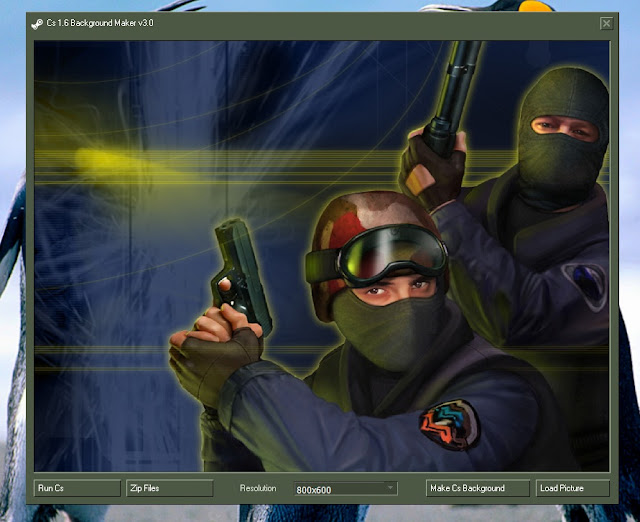
These are some tools which we used to modify Counter-Strike. made weapons, characters, maps, sprites, GUI, and others.
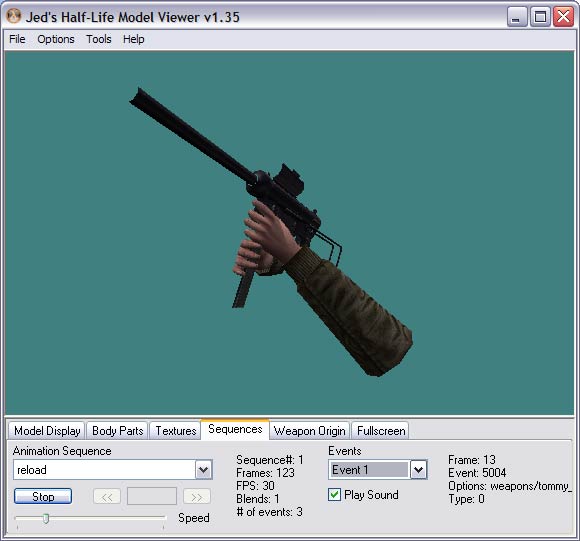
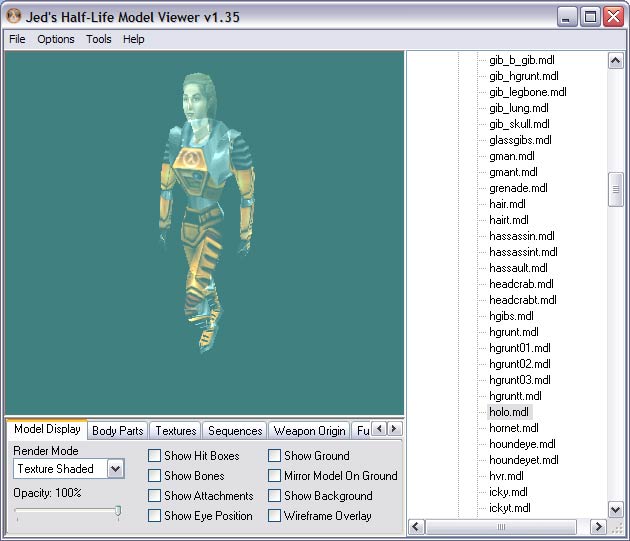
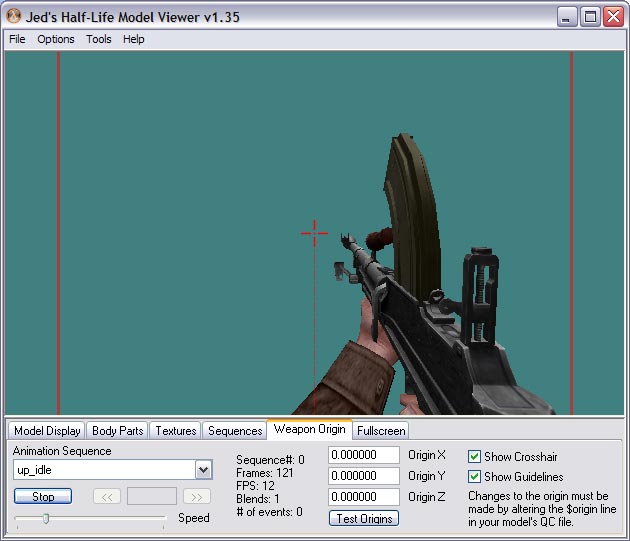
1. Jed's Half-Life Model Viewer Screenshot:
Description: The defacto tool for previewing Half-Life models is Mete Ciragan's Half-Life Model Viewer.
However, the current version doesnt support the new texture features of
the Half-Life engine. To get around this, I've modified the source of
the v1.25 of the Half-Life Model viewer and added support for these
features as best I can plus added some new ones.
Description: MilkShape 3D is a low-polygon modeler, which was initially designed for
Half-Life. By and by many file formats and features have been added. MilkShape 3D has all basic operations like select, move, rotate, scale,
extrude, turn edge, subdivide, just to mention a few. MilkShape 3D also
allows
low-level editing with the vertex and face tool. Standard and extended
primitives like spheres, boxes, cylinders, etc. are available too. MilkShape 3D is a skeletal animator.
This special edition is
based on the latest version 6.1 and is designed to offer a ready-to-use
environment for the Pawn language.
Keep up in mind that this environment is more or less what I use and it might not please all people.
Though, I've tried to release something with generic configurations.
Therefore, a reminder : if you don't like, feel free to customize.
Based on the C language, the parsing is more robust and customizable. (check Syle Configurator -> Pawn)
Since better integrated, the language is handled better in Notepad++ (configuration) and plugins.
Syntax Highlighting, Auto-Completion and Function Parameters Hint are activated
Based on the fysiks' work, I've updated/improved somehow his scripts to retrieve properly datas from 205 includes.
The syntax highlighting colors/font are
designed to be somehow smooth for the eyes so they won't hurt. No
flashy/über-constrasted colors. Sober & simple. It needs a base
anyway.
The Auto-completion is based on word
instead of the functions. The reason is Notepad++ handles poorly such
feature and since the API contains a lot of words, each time you write
something you have like a blinking effect. Use Ctrl + Space to check
instead.
The AMX Mod X Compiler is provided with all the supported includes (200+)
Now, you can compile directly a plugin
through Notepad++. The console being integrated. Use F6 the first time
to choose the script, then Ctrl + F6 to execute the active one.
You can customize the script, adding your own and such. By default, the compiled plugin will be put where the source is.
The errors in the console are colored and clickable.
Few Notepad++ Plugins are pre-installed
Auto Save (v1.30) : Allows to
automatically save the currently open files based on a timer (10 min by
default) schedule and/or upon the application losing focus. For
unnamed/new files, it auto-saves in the auto.recover directory
(Notepad++ root).
Code Alignment (v6.0) : Allows to align your code by any character and includes options as such equals and periond.
FingerText (v0.6.1, modified) :
Allows to manage snippets. Some snippets are provided. This plugin is
promising and has interesting feature like hotspots or dynamic insertion
hints (Alt + .). I would suggest you read some documentation.
Notepad# (v1.5.0, modified) : Implements some useful features like indenting after opening curly brace. Check the full features list to know more.
NppExec (v0.4.3.2) : Can execute
commands and scripts. It's a complete plugin, and it's through this
plugin the AMX Mod X Compiler can be executed. Read the documentation
for more informations.
Task List (v2.0) : Automatically
scans the opened document in Notepad++ and adds all "TODO:*" items to
your task list, a window pane docked on the right. Double-clicking an
item in the list will take you to that line in the code.
Regex Helper (v0.0.2.2) :
Highlights all matches of a regular expression within a document.
Clicking on an individual result shows the matching groups for that
result.
SherloXplorer (v0.3) : Brings a
file-explorer-like control into Notepad++, which is very close to a real
windows explorer. It has some interesting features.
SourceCookifer (v0.7.3) : Uses
Exuberant Ctags to show you all recognized tags (symbols) for given
source files. Based on C language, which is enough. Read the
documentation for more informations.
XBrackets Lite (v1.2.1) : Allows to autocomplete brackets ([{""}]). Disable by default.
Important
: This Notepad++ special edition is not upgradable from the original
version. Therefore, the update feature has been removed. Also,
FingerText and Notepad# have been modified to support Pawn language.
Don't try to update Notepad++ or these plugins through the plugins
manager. Don't worry, this edition should be updated as fast as a new
original version is released.
Feel free to suggest plugins, alerting
missing things, reporting bugs, sharing snippets (you can export!) and
such. Any feedbacks are welcomed.
One
day it would be cool to make an external lexer plugin for Pawn
language, so to have a tailor-made and advanced parsing, and Notepad++
would not required to be modified.
Adding the plugin DocIt which helps to
generate header for functions with params. I've started to modify it but
I'm kind of stuck on some regex expression to capture all kind of
params.
Adding support for SourcePawn. (lazy..) [EDIT: lexer added, but no configuration/api yet]


 08.20
08.20
 Unknown